
Jump to Section
Manage Workspace (In-App Admin Portal)
Group Admin vs Workspace Admin
Workspace Dashboard
The Workspace Dashboard provides an at-a-glance overview of your organization’s E3 rollout and adoption. Here’s what you can do:
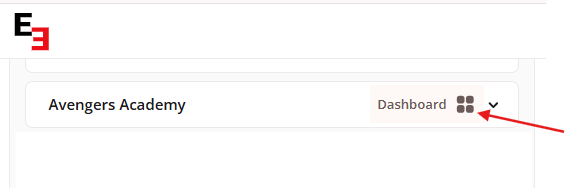
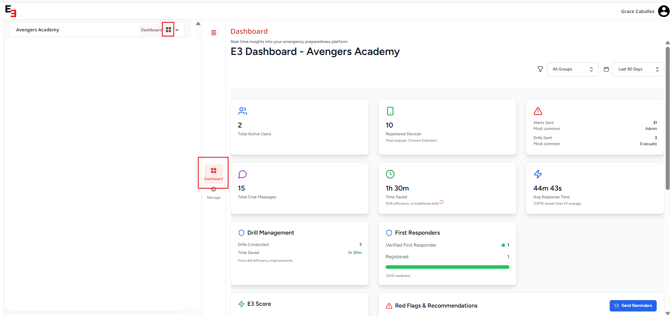
Group Dashboard
The Group Dashboard provides a focused view of activity, users, and settings for a single group only.
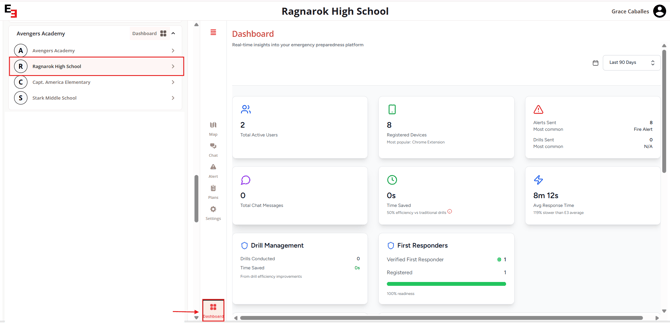
Key Metrics:
-
Total Active Users - See how many users are actively using E3.
-
Registered Devices - Track the number of devices connected to your workspace.
-
Most Common Alerts Sent - Identify which alerts are being triggered most frequently.
-
Average Response Times - Monitor how quickly your users respond to alerts.
Red Flags & Recommendations:
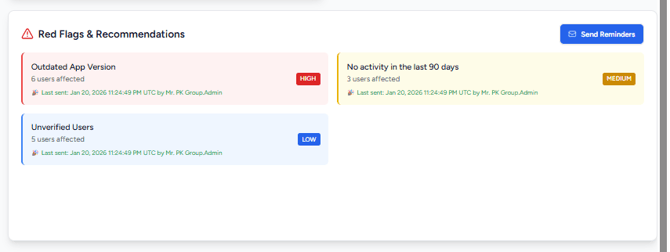
E3 helps you identify potential issues so you can take action:
-
Outdated Apps - Quickly send reminders to users who need to update their E3 app.
- Unverified Users - Send a friendly reminder to users who have been invited but haven’t created their accounts.
- No Activity in the Last 90 Days - Ensure users are active and ready for your next drill.
You can send reminders individually or blast a notification to all users from the Dashboard. Sent reminders are logged, showing who sent them and when.
Power Ups (Integrations):
-
See all active integrations (now called Power-Ups) and monitor data flowing through them.

Manage Workspace (In-App Admin Portal)
The Manage Workspace feature allows admins to manage users, groups, alert types, and integrations, all without leaving the app.
Key Features:
- Workspace Admin Management – Add or remove workspace admins who have full access to the Dashboard and Manage Workspace portal.
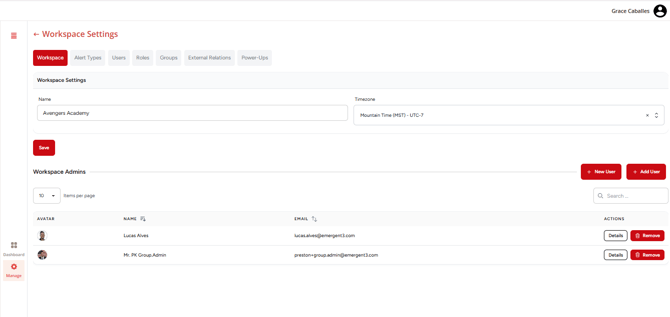
- Alert Types Management
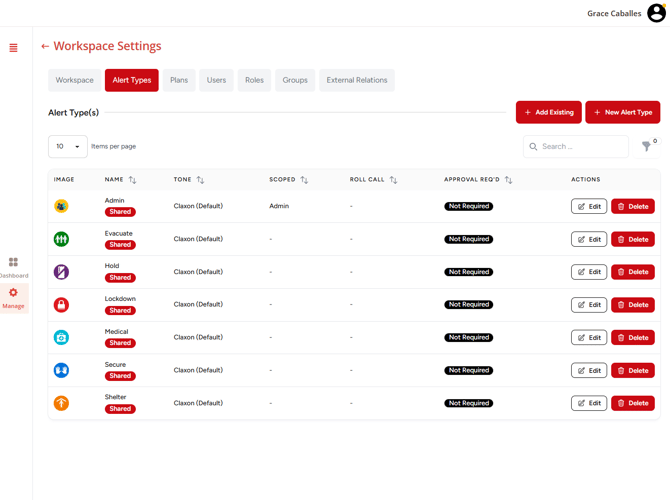
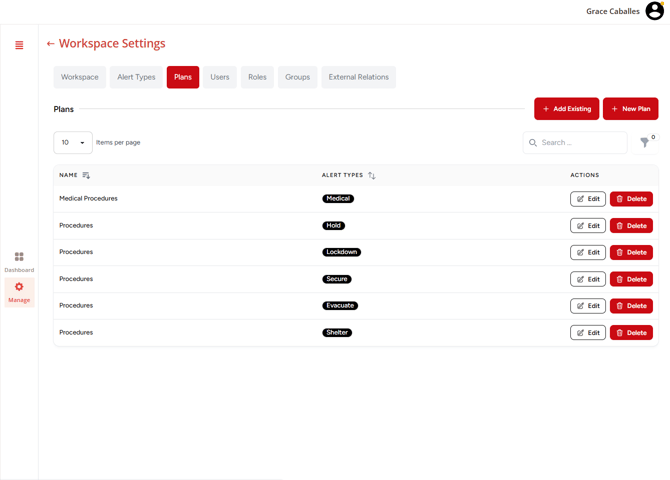
- Emergency Plans Management - Create and manage emergency response plans associated with alert types and user guidance workflows.
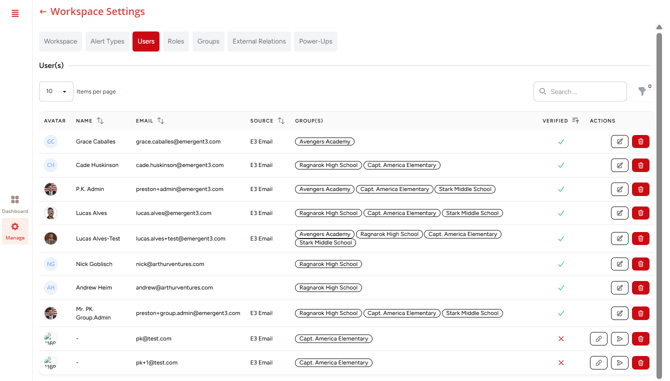
- User Management – Filter users by verification status, groups, or activity level. Update roles and permissions directly from the portal.
- Group Management – Create, edit, or remove groups within your workspace.
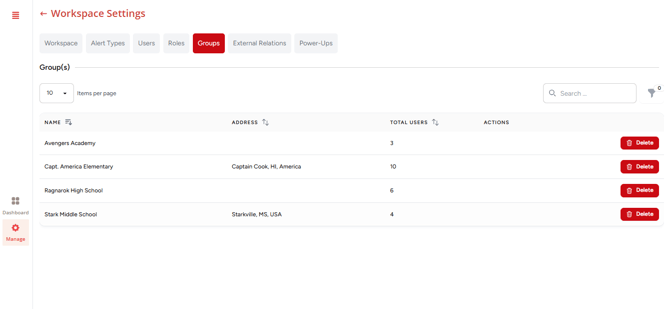
- External Relations – Manage relationships with first responders or other external users who receive alerts.
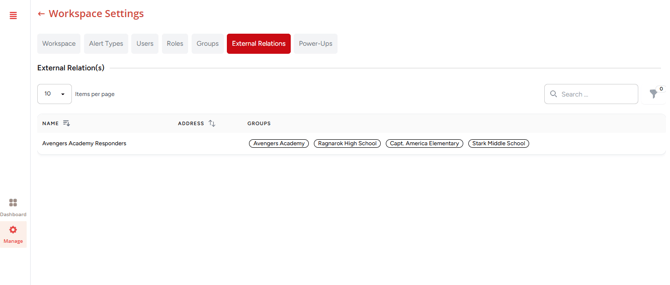
- Power Ups – Set up integrations such as Google Sync, rostering, and multi-alerts for a seamless experience.
The portal is designed to be self-service, so your workspace admins can handle user and integration management without needing additional support.
Group Admin vs Workspace Admin
| Role | Access & Permissions |
|---|---|
| Group Admin |
|
| Workspace Admin |
|
Workspace Admins have organization-wide oversight, while Group Admins are focused on managing individual groups.
Need more help?
💬 Chat with us.
Click the chat icon in the bottom-right corner of this page to connect with our team instantly.
✉️ Email us.
You can also send us an email at help@emergent3.com.