
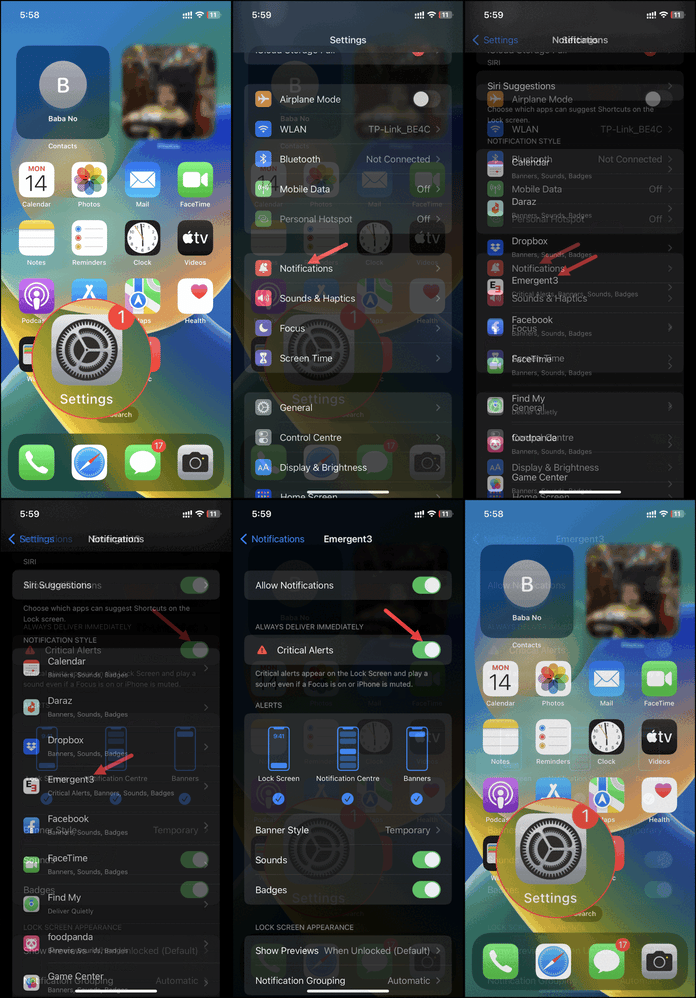
Steps to Enable Critical Alerts
-
Open the Settings app on your iPhone.
-
Tap Notifications.
-
Scroll down and select Emergent3 from the list of apps.
-
On the Emergent3 notification settings screen, toggle Critical Alerts on.
Need more help?
💬 Chat with us.
Click the chat icon in the bottom-right corner of this page to connect with our team instantly.
✉️ Email us.
You can also send us an email at help@emergent3.com.